
Network Failover
For devices configured to use NetworkManager, it is possible to configure multiple WAN interfaces and a basic network failover functionality.
As in the picture below, the ESF UI allows for multiple WAN interfaces to be defined. Each WAN interface can be configured with a WAN Priority. WAN Priority is used to determine which interface will be selected for primary WAN. In the case where the primary WAN interface loses connection, then the next highest priority interface is assigned.
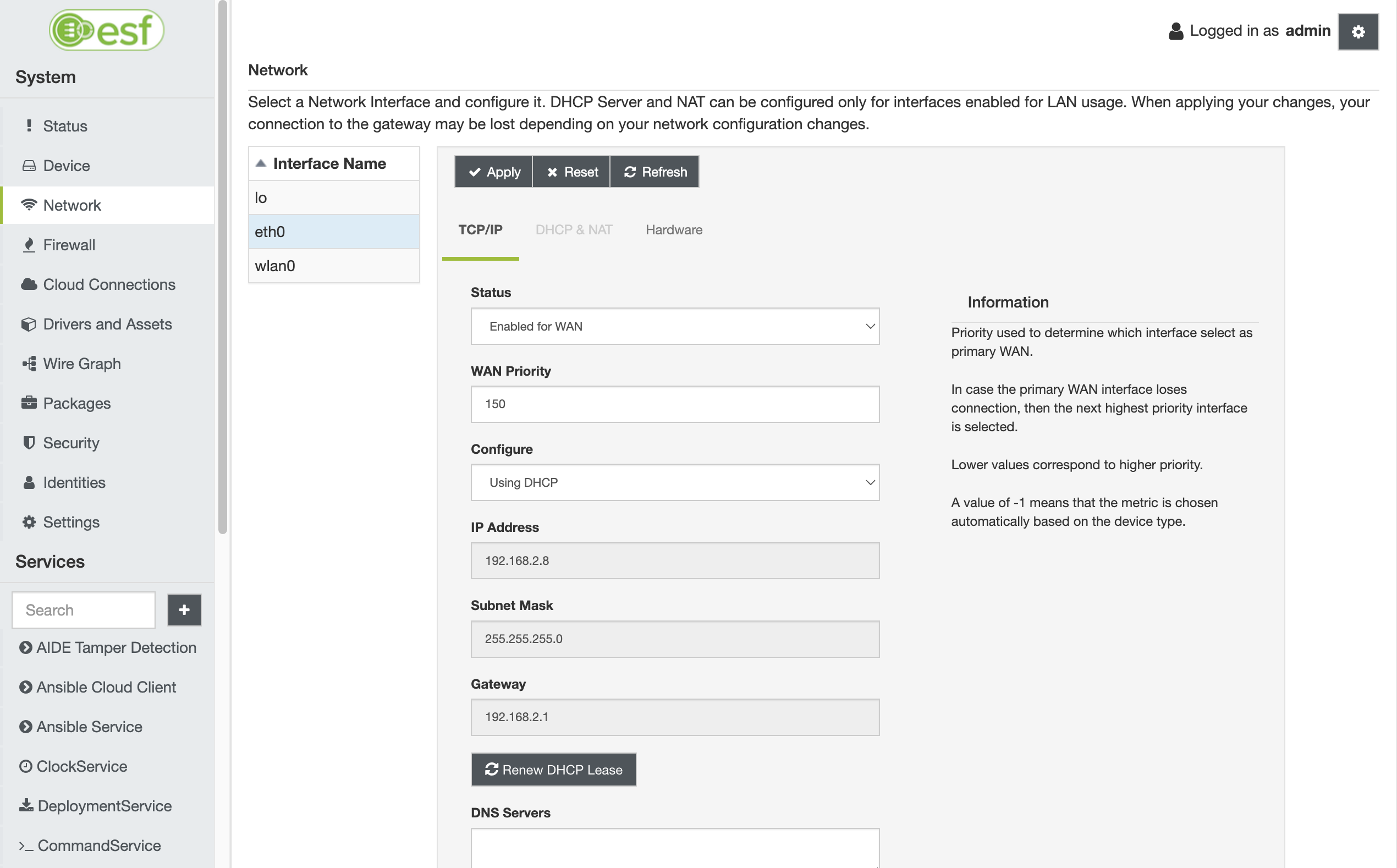
ESF uses NetworkManager's implementation to achieve network failover (see NetworkManager).
Lower values correspond to higher priority. Allowed values range from -1 to 2147483647. Value -1 means that the metric is chosen automatically based on the device type (see NetworkManager DBUS properties).
To observe changes to the applied configuration, use the following command on your device's shell:
route -n

Kernel IP routing table
Destination     Gateway         Genmask         Flags Metric Ref    Use Iface
0.0.0.0         192.168.2.1     0.0.0.0         UG    100    0        0 eth0
172.16.1.0      0.0.0.0         255.255.255.0   U     600    0        0 wlan0
172.17.0.0      0.0.0.0         255.255.0.0     U     0      0        0 docker0
192.168.2.0     0.0.0.0         255.255.255.0   U     100    0        0 eth0
The metric flag will correspond to the set WAN Priority. NetworkManager will always prioritize lower metric routes.
Operating modes
The NetworkManager failover mechanism can work at two different levels:
- by detecting disruptions at physical level (i.e. an ethernet cable that disconnects);
- by performing a connectivity check to an upstream URI.
NetworkManager brings a network interface down when it detects the loss of its physical link. In such case, the next highest priority interface is selected as the main one.
When the connectivity check fails, NetworkManager penalizes the metric of that interface in the routing table. NetworkManager continues to perform connectivity checks over all the other interfaces. As soon as the connectivity is restored over a previously failing interface, the metric is also restored to the original value and the routing table goes back to the original state.
Configuring the connectivity check
The connectivity check is enabled by default in Kura and is configured to probe the connection to http://network-test.debian.org/nm every 60 seconds. To set a specific URI and a different interval edit /etc/NetworkManager/conf.d/99-kura-nm.conf (reference NetworkManager):
[connectivity]
uri=http://network-test.debian.org/nm
interval=60
response="NetworkManager is online"
The minimun interval is 60 seconds, if no interval is specified it defaults to 300 seconds.
The response should match what the URI is returning when probed. Some examples of web pages with NetworkManager responses:
| URI | Response |
|---|---|
http://network-test.debian.org/nm | NetworkManager is online |
https://fedoraproject.org/static/hotspot.txt | OK |
http://nmcheck.gnome.org/check_network_status.txt | NetworkManager is online |
https://www.pkgbuild.com/check_network_status.txt | NetworkManager is online |
To disable the connectivity check feature:
- remove the
[connectivity]section from the configuration file; or - set
enabled=falsein the[connectivity]section.
Network Failover with PPP-based Modems
When NetworkManager uses ppp technology to establish a cellular connection, a value of 20000 is always added to the modem interface's route metric, causing an improper behavior of the failover feature. This is a NetworkManager known-issue presented here. The workarounds for this issue depend on the desired behavior and they are presented below.
Cellular connection as primary WAN interface
If the cellular connection is intended to act as the primary WAN interface, all other WAN interfaces must be assigned a priority higher than 20000 + <primary WAN priority>. For example, if the cellular interface (ppp0) uses a priority of 500, the other WAN interfaces (eth1, end1, etc.) should be configured with a priority greater than 20500.
The main limitation of this approach is that the failover mechanism will not switch back to the secondary WAN interfaces when the cellular connection lacks global connectivity.
Cellular connection as backup WAN interface
If the cellular connection is used as a backup WAN interface, priorities can be configured as in normal operation. The modem interface will retain a high route metric and will only be used as a fallback when the primary connection becomes unavailable.
Updated 9 months ago